

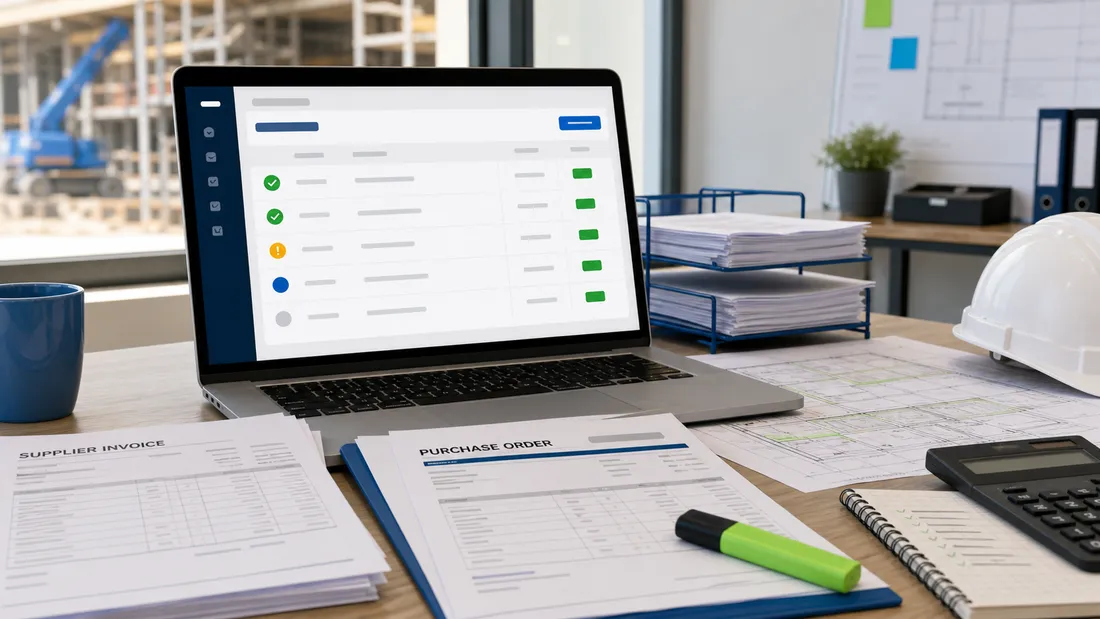
A payment run is not just an accounts task. In construction, it is a commercial control point.
By the time supplier and subcontractor invoices reach payment, a lot has already happened. Materials have been ordered, plant has been hired, labour has been booked, variations may have been agreed, and site teams may have accepted or queried parts of the cost.
If the payment run only checks whether an invoice exists in the bookkeeping system, the business is leaving too much to chance. The better question is whether each invoice is ready to be paid based on the purchase order, approval status, job reference, supporting evidence, and cash-flow position.
That does not mean slowing every payment down. It means separating clean, payable invoices from invoices that still need a decision.
Start with the job reference
Every invoice in a construction payment run should be tied to the right job, site, or project reference.
This sounds basic, but it is one of the easiest places for errors to hide. A supplier invoice may use the right account name but the wrong site. A subcontractor invoice may relate to a variation on one job while being coded to another. A plant charge may continue after a machine was moved.
Before an invoice reaches the payment list, accounts should be able to see:
- the supplier or subcontractor name
- the job or site reference
- the purchase order number, if one exists
- the person responsible for the cost
- whether the invoice has been checked against the job record
If the invoice cannot be tied to a job, it should not be treated as ready for payment.
Match the invoice to the approved commitment
The payment run should not be the first time the business asks whether the cost was approved.
For each invoice, check whether there is a purchase order or another traceable commitment that shows what was agreed. That commitment should make the value, scope, supplier, and job clear enough for accounts to match the invoice without guessing.
A clean match means:
- the supplier name matches the approved order
- the invoice value is within the approved amount
- the description broadly matches the ordered work or materials
- the job reference is consistent
- any delivery note, timesheet, or subcontract claim evidence has been reviewed where relevant
If the invoice is above the approved value, it may still be valid. But it needs a visible reason, such as an approved variation, price change, additional daywork, or corrected quantity.
Without that reason, paying it turns an exception into normal practice.
Check approval status, not just approval history
An old approval is not always enough.
A purchase order may have been approved at the start of the job, then revised later. A subcontractor may have submitted a partial invoice. A materials supplier may have issued a corrected invoice after a credit note. A site manager may have queried part of the charge after the invoice arrived.
That is why the payment run needs current approval status, not just evidence that somebody approved something once.
Useful statuses include:
- approved for payment
- waiting for site check
- waiting for commercial review
- queried with supplier
- part-approved
- blocked pending credit note
- rejected or cancelled
The point is to stop invoices sitting in a vague middle ground. Accounts should know whether an invoice is ready to pay, waiting for a named person, or blocked for a specific reason.
Separate accepted value from queried value
Payment decisions become messy when a whole invoice is treated as either fully approved or fully blocked.
In practice, part of the cost may be accepted and part may be under query. A supplier might invoice for correct materials plus a disputed delivery charge. A subcontractor might claim an agreed stage payment plus an unapproved extra. A plant invoice might include valid hire days plus a charge after the off-hire date.
Where the process allows it, record:
- total invoice value
- accepted value
- queried value
- reason for the query
- owner of the next action
- next review date
This keeps job costing more honest. It also gives the supplier a clearer conversation than "accounts are looking at it".
Look for duplicate, corrected, and replacement invoices
Payment runs are a common point where duplicate invoices slip through.
The risk is higher when suppliers send statements, corrected invoices, credit notes, and reminders across different email threads. It is also higher when site teams forward invoices separately from accounts, or when a supplier resends a document with a slightly different subject line.
Before paying, check for:
- same supplier and invoice number
- same supplier and same value
- corrected invoices replacing earlier versions
- credit notes not yet applied
- invoices already marked for payment in another batch
- duplicate PDF attachments with different email dates
The aim is not to make accounts suspicious of every invoice. It is to avoid paying twice because the audit trail is split across inboxes and spreadsheets.
Check the cash-flow priority, not only the due date
Due dates matter, but they are not the only commercial consideration.
A payment run in a construction business should reflect cash-flow priorities, supplier relationships, job-critical materials, subcontractor continuity, retentions, and any agreed payment terms. It should also avoid paying invoices that are administratively due but commercially unclear.
The business may decide to prioritise:
- suppliers needed for active jobs
- subcontractors with approved stage claims
- invoices holding up delivery
- long-standing clean invoices
- payment terms that protect supply relationships
But that prioritisation should sit on top of good invoice checks. Paying the wrong invoice quickly is not better than paying the right invoice carefully.
Keep the payment run visible to operations
Accounts should not have to chase every answer during the payment run.
The better approach is to make invoice readiness visible before payment day. Project managers and site leads should be able to see which invoices are waiting on them, what question needs answering, and when the payment run is due.
That gives the business time to resolve issues before the final payment list is prepared.
It also changes the tone. Instead of accounts asking "can we pay this today?", the system shows "this invoice is blocked because the delivery note is missing" or "this subcontractor claim is waiting for the approved variation".
How BuilderDash helps
BuilderDash helps construction teams connect the payment run back to the earlier workflow: purchase orders, approvals, invoice checks, job references, and query status.
That matters because a payment run is only as reliable as the information feeding it. If POs live in one place, invoice queries live in email, and job references live in someone else's spreadsheet, accounts has to rebuild the story at the worst possible time.
With BuilderDash, the team can keep the key checks closer together:
- invoices connected to purchase orders
- job and site references visible before approval
- approval status clear before payment
- queried invoices separated from ready invoices
- supporting information attached to the cost record
- payment decisions easier to trace later
The result is a cleaner payment run and fewer last-minute judgement calls.
A simple payment run rule
Use this standard:
If an invoice cannot be matched to the right job, approved value, current approval status, and any relevant query record, it should not be marked as ready to pay.
That rule is simple enough for the whole team to understand. It also protects the business from the most common payment run problems: duplicate costs, unapproved extras, wrong job coding, unclear variations, and avoidable cash-flow surprises.
Related BuilderDash articles
- What a Clean Subcontractor Invoice Workflow Looks Like
- Why PO Approval Status Should Be Checked Before a Subcontractor Invoice Is Paid
- How to Prevent Duplicate Supplier Invoices in Construction
- How to Handle Disputed Supplier Invoices Without Losing Cost Control
Next step
Use BuilderDash to keep purchase orders, approvals, invoice checks, job references, and query status connected before the next payment run is prepared.
Run your projects properly with BuilderDash.
One system for every enquiry, job, quote and invoice - built for project-based trades, not reactive call-outs.


