How to Prevent Duplicate Supplier Invoices in Construction
 BuilderDash11 Jun 2026 9 min read
A duplicate supplier invoice is not always an obvious copy.
The same invoice may arrive through a shared accounts inbox, a project manager, a site contact, and an automated supplier portal. A supplier might resend it with a new file name. Someone may upload it again because the first copy still appears unpaid. The invoice number may contain different spacing or punctuation, while the value and work remain the same.
If each route is treated as a separate task, the duplicate can reach approval twice and distort the job cost before anyone notices.
Preventing duplicate payment therefore requires more than checking whether two PDF files look identical. The business needs one invoice record, consistent matching rules, visible approval status, and a controlled way to apply credit notes.
Why duplicate invoices are a construction risk
Construction businesses often process invoices across several live projects, suppliers, subcontractors, and cost codes. The operational team knows what was ordered and delivered, while accounts controls the ledger and payment run.
That split creates practical gaps:
- Site sends an invoice to the project manager while the supplier emails accounts directly.
- A subcontractor resubmits an invoice after asking when it will be paid.
- A supplier issues a corrected invoice without clearly cancelling the original.
- A credit note is received by one person but the related invoice is approved elsewhere.
- The invoice number is entered differently on two records.
- A partial invoice is mistaken for a duplicate, or a duplicate is mistaken for another stage payment.
The immediate risk is paying twice. The wider risk is misleading information. Duplicate costs can make a job appear over budget, reduce reported margin, create unnecessary invoice queries, and lead directors to make decisions using the wrong committed or actual cost.
Start with one route into the invoice workflow
The first control is to give every invoice one recognised route into the checking process.
That does not mean suppliers will always follow instructions. Invoices will still reach project managers and site teams. The rule should be that any copy received outside the normal channel is forwarded or uploaded into the same central workflow, not approved separately in messages.
Once an invoice enters the workflow, it should receive a visible status such as:
- Received.
- Duplicate check required.
- Awaiting PO or job reference.
- Awaiting project approval.
- Approved for payment.
- On hold.
- Paid.
- Replaced or credited.
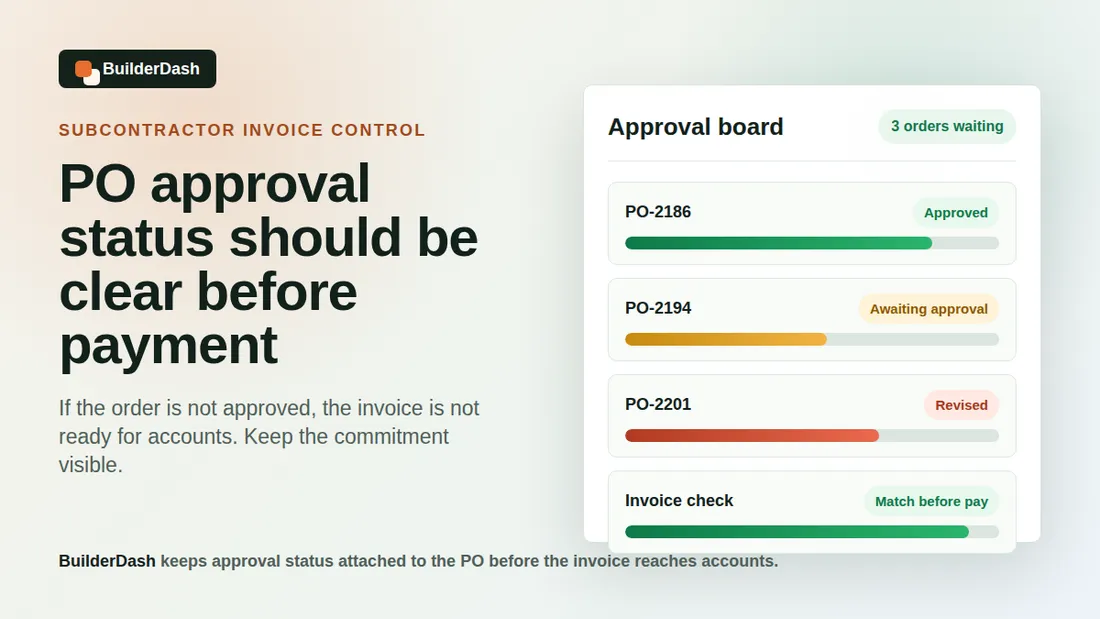
When the status is visible, a project manager can see that accounts already has the invoice. That reduces well-intentioned resubmission and prevents two people from creating separate approval trails.
Check more than the invoice number
Invoice number is the strongest duplicate signal, but it should not be the only one.
Suppliers do not always use perfectly consistent numbering. Leading zeros, spaces, slashes, hyphens, and letter case can make the same reference appear different. A reliable check should normalise those differences where practical and compare a group of fields:
- Supplier.
- Invoice number.
- Invoice date.
- Gross and net values.
- VAT value.
- Purchase order number.
- Project or site reference.
- Delivery note or application reference.
- Bank account details where relevant.
An exact supplier-and-invoice-number match should normally stop the new record for review. A same-supplier, same-value, and similar-date match should raise a warning even if the invoice references differ.
The warning should not automatically reject the invoice. Repeated values are common for hire, maintenance, regular deliveries, and staged subcontract works. It should prompt a person to check the underlying scope and supporting documents.
Distinguish duplicates from partial and staged invoices
Subcontractor and supplier invoices can legitimately repeat the same PO number, project, and even value.
A £5,000 monthly application might be one of several staged payments. A plant hire invoice may repeat the same weekly charge. A materials supplier may issue multiple invoices against one order as separate deliveries are made.
To decide whether an invoice is a duplicate, check:
- Does it cover the same work, delivery, or valuation period?
- Does it use the same application, delivery note, or timesheet reference?
- Has the previous invoice already been approved or paid?
- Is the current document marked as a copy, revision, or replacement?
- Does the cumulative invoiced value remain within the PO or approved commitment?
The useful view is the full invoice history against the supplier, PO, and job. Looking at one invoice in isolation makes both duplicates and genuine partial invoices harder to identify.
Control corrected and replacement invoices
A corrected invoice can easily create two live liabilities.
For example, a supplier may issue an invoice with the wrong project reference, VAT treatment, quantity, or price. They then send a revised document using a new invoice number but do not issue a credit note against the first one.
Accounts should not simply approve the new invoice and assume the original will disappear. The workflow should record:
- Why the original invoice is incorrect.
- Whether it has been rejected, cancelled, or credited.
- The number and value of the replacement invoice.
- The link between the original and replacement records.
- Who confirmed the correction.
Where the supplier's accounting record still shows the original invoice, a formal credit note is normally needed. Otherwise the supplier statement may continue to show both amounts outstanding.
Match credit notes to the original cost
Credit notes should not sit as unexplained negative values in accounts.
Each credit should be linked to the original supplier invoice, PO, project, and cost code wherever possible. This makes it clear whether the credit relates to:
- Returned or short-delivered materials.
- A pricing correction.
- Duplicate billing.
- Cancelled work.
- Damaged goods.
- Retention or valuation adjustment.
- An agreed commercial allowance.
The job-cost effect matters. If a £1,200 materials invoice was charged to one project but the £200 credit is posted to a general overhead code, the ledger may balance overall while the project cost remains overstated.
The invoice workflow should show the original value, credit value, and net amount still payable. It should also prevent an invoice from being released at full value when a related credit is waiting to be applied.
Use supplier statements as a control, not the first warning
Supplier statement reconciliation is valuable, but it should confirm the invoice record rather than discover every problem at month end.
A statement can reveal:
- Invoices the business never received.
- Credits that have not been entered.
- Payments allocated to the wrong invoice.
- Duplicate entries.
- Old disputed balances.
- Corrected invoices that did not replace the originals properly.
However, waiting for the statement means the incorrect job cost or duplicate approval may already have existed for weeks. Run duplicate checks when the invoice arrives, then use statement reconciliation as a second control before or after the payment run.
Keep approval and payment status connected
One common cause of resubmission is poor visibility.
A supplier asks a project manager why an invoice has not been paid. The project manager cannot see that it is already approved for the next payment run, so they send another copy to accounts. The second copy starts a new check.
The people handling supplier queries should be able to see a simple status without needing access to sensitive banking information:
- Whether the invoice has been received.
- Whether it is awaiting information or approval.
- Whether it is approved.
- Whether it is scheduled or paid.
- Whether it has been replaced, disputed, or credited.
That visibility improves supplier communication and removes a major reason for duplicate submissions.
Set a clear rule for suspected duplicates
When a match is found, the workflow should pause the new record without deleting useful evidence.
A practical rule is:
- Mark the new record as a suspected duplicate.
- Link it to the existing invoice.
- Compare the source document and supporting references.
- Confirm whether it is a duplicate, replacement, or separate valid charge.
- Keep one payable record active.
- Record who made the decision and why.
Deleting the second record immediately can hide how the duplicate entered the business. Keeping it linked but excluded from approval preserves the audit trail and helps the team improve supplier instructions or internal handling.
How BuilderDash supports invoice control
BuilderDash connects supplier invoices with purchase orders, project references, approval status, and supporting information.
That gives accounts and project teams a shared record instead of separate copies spread across inboxes, messages, and folders. The invoice can be checked against the correct job and PO, routed to the right approver, and held when information is missing or a possible duplicate needs review.
Credit notes and corrected documents can also be kept with the original transaction context. The aim is not simply to store another PDF. It is to make the invoice's status and effect on the job cost visible before payment.
A practical duplicate-invoice check
Review the next supplier payment run and ask:
- Are any supplier invoice numbers repeated after removing spaces and punctuation?
- Are there same-supplier, same-value invoices with close dates?
- Does each staged or partial invoice have a distinct work, delivery, or valuation reference?
- Are corrected invoices linked to cancelled or credited originals?
- Are all credit notes allocated to the correct project and original invoice?
- Can project managers see whether an invoice has already been received?
- Does the cumulative invoiced value still agree with the PO and approved changes?
Any exception should be resolved before the payment file is prepared.
Protect the job cost before payment
Duplicate invoice control is not only an accounts safeguard. It protects job reporting, supplier relationships, approval time, margin visibility, and cash flow.
The strongest process captures invoices once, compares several identifying fields, shows the full history against the PO and project, and links corrections and credits to the original cost.
When accounts and project teams can see the same invoice status, fewer documents are resubmitted and fewer questionable costs reach the payment run.
Related reading: How to spot partial subcontractor invoices, why project codes and site references matter on materials invoices, and how to reduce end-of-month invoice chasing.
BuilderDash can help: Use BuilderDash to connect supplier invoices, purchase orders, project references, approvals, credit notes, and payment status before duplicate costs reach the ledger.
Run your projects properly with BuilderDash.
One system for every enquiry, job, quote and invoice - built for project-based trades, not reactive call-outs.