
How to Stop Invoice Queries Going Missing Between Site and Accounts
 BuilderDash9 Jul 2026 7 min read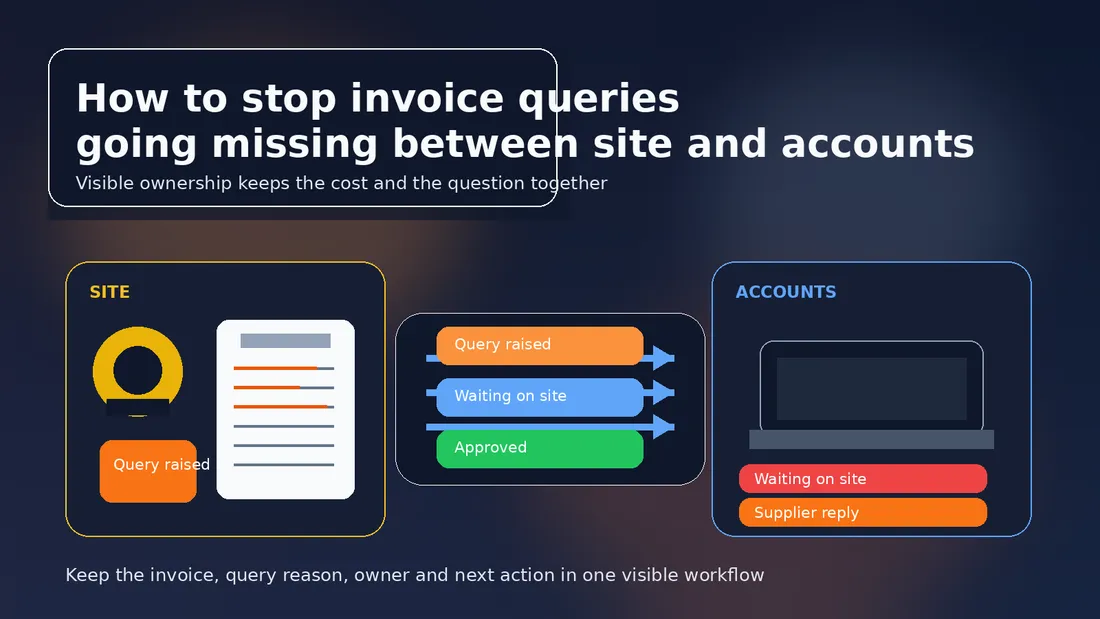
A query does not help if nobody can see it.
That is the real problem when an invoice question starts on site, gets mentioned in an email, and is then remembered only by the person who first noticed it. By the time accounts is preparing a payment run, the issue may still exist, but the trail has gone cold. The supplier is waiting, the job cost is uncertain, and nobody can remember who was supposed to answer next.
Construction businesses do not usually lose invoice queries because people are careless. They lose them because the query lives in the wrong place. A phone call is not a record. A WhatsApp message is not a workflow. An inbox thread is not a status.
Why invoice queries go missing
Invoice queries usually disappear for the same reasons across small and mid-sized contractors:
- the site team raises the problem informally
- accounts receives the invoice without the reason attached
- the person who spotted the issue assumes someone else is handling it
- the supplier replies to the wrong person
- no one has an agreed follow-up date
The result is predictable. The invoice stays visible, but the query does not. That creates two risks at once: the business may pay something it still questions, or it may leave a genuine issue unresolved until the supplier chases payment.
The fix is not more chasing. It is a visible query record that survives handoffs between site, commercial and accounts.
What every query record should contain
If a query is worth raising, it is worth recording properly.
At minimum, each invoice query should show:
- supplier name
- invoice number
- job, site or project reference
- query reason
- queried amount, if only part of the invoice is in doubt
- owner of the next action
- date the query was raised
- target response or review date
- supporting evidence needed
- current status
That does not mean creating extra bureaucracy. It means giving the team enough detail to answer three basic questions without searching through messages:
- What is wrong with the invoice?
- Who is doing something about it?
- What has to happen before it can move again?
If those answers are not clear, the query is not really controlled.
Separate the query from the invoice
One common mistake is to treat the invoice and the query as the same thing.
An invoice may still be the right document for posting part of the cost, even when something on it is disputed. If the query is not tracked separately, the team ends up with a vague note like "query with site" and no way to see whether the issue is about quantity, rate, scope, delivery or a missing approval.
Better practice is to keep the invoice record and the query record linked, but not merged. That way the invoice can still show up in reporting, while the query carries the reason, owner and next step.
That distinction matters when the cost is partly accepted. For example, the materials may have been delivered, but one line on the invoice may be wrong. Or the subcontractor may be entitled to most of the claim, but one variation is still waiting for sign-off. The job should still reflect the accepted value, while the disputed part remains visible.
Use one owner, not a crowd
Queries often stall because everyone thinks someone else is looking at them.
The site manager may know what happened. The buyer may need to ask the supplier for a credit. The QS may need to confirm the valuation. Accounts may need to hold the invoice. All of that can be true, but one person still has to own the next action.
Ownership does not mean doing every task personally. It means being responsible for moving the query forward and making sure it does not vanish into the background.
A good owner record should answer:
- who is chasing the supplier
- who is checking the site evidence
- who can approve a revised value
- who will close the query once the answer arrives
If the owner changes, the record should change with it. Otherwise the business ends up with a query that is technically open but practically forgotten.
Give every query a deadline
Without a deadline, a query can sit in limbo for weeks.
That is rarely because the problem is complex. More often, nobody has said when the next review should happen. A small discrepancy can stay harmless for a day or two, but if the invoice is due for payment, the issue needs a visible date so it can be reconsidered before cash is released.
A useful review rhythm is:
- daily for urgent invoices due for payment
- weekly for ordinary operational queries
- immediately when a supplier has sent a corrected invoice or credit note
The point is not to force every issue into the same timetable. It is to stop the query from becoming a forgotten note in an inbox.
Keep the job cost honest while the query is open
A missing query record can distort job costing.
If accounts delays the whole invoice and hides it from reporting, the job may look healthier than it really is. If accounts posts the full amount without recording the dispute, the job may look overstated or the supplier may be overpaid. Neither outcome helps the project team make sensible decisions.
The cleaner approach is to keep the accepted value visible and the queried value visible too. That gives management a truer picture of what is committed, what is disputed and what is still waiting on information.
That is especially important when the query is about:
- a quantity difference
- an unapproved extra
- a missing delivery note
- an incorrect rate
- a job or site allocation error
- a variation that has not yet been signed off
If the queried value is not tracked, the business can lose sight of the cost before the answer arrives.
Standardise the handoff between site and accounts
Most query failures happen during handoff.
Site notices the issue first. Accounts sees the invoice later. The question is what happens in between. If the answer is "someone probably told someone", the process is too loose.
The handoff should be simple and repeatable:
- Site raises the issue with enough detail to identify the invoice.
- The query is logged with a reason and owner.
- Accounts can see whether payment should be held, partly approved or left open.
- The supplier receives a clear question, not a vague complaint.
- The query is reviewed again until it is closed.
That workflow does not require perfection. It does require consistency. A standard handoff means the team does not have to invent the process every time an invoice looks wrong.
What good looks like in practice
Here is the difference between an unmanaged query and a controlled one.
Unmanaged:
- "Can you query this with site?"
- no invoice number recorded
- no owner
- no follow-up date
- no clear status
- no link back to the job cost
Controlled:
- invoice number and supplier recorded
- query reason logged clearly
- part of the value marked as disputed
- one named owner
- next action and date visible
- supplier response attached to the same record
- final outcome recorded once the issue is resolved
The second version takes only a little more effort, but it saves a lot of chasing later.
How BuilderDash helps
BuilderDash helps construction teams keep the invoice, the query reason, the owner and the next action together in one workflow.
That matters because invoice queries are not just an accounts problem. They are a live operational issue. Site needs to know what was queried, accounts needs to know what can be paid, and suppliers need a clear answer. When those steps live in different places, the query is easy to lose.
With BuilderDash, the team can keep the cost record and the query status visible while the issue is being resolved. That makes it easier to:
- stop a query disappearing between site and accounts
- hold a part payment with a clear reason
- match the supplier response to the original issue
- keep the job cost realistic while the query remains open
- review open queries before the next payment run
For teams already trying to tighten their invoice workflow, that visibility is usually the difference between a clean process and another round of chasing.
Related BuilderDash articles
- What to Check Before a Construction Payment Run
- What a Clean Subcontractor Invoice Workflow Looks Like
- How to Run a Weekly Committed Cost Review on Live Jobs
- How to Split a Supplier Invoice Across Multiple Jobs Without Losing Job Costing
Next step
Use BuilderDash to keep the invoice, the query reason, the owner and the next action together until the issue is resolved.
Run your projects properly with BuilderDash.
One system for every enquiry, job, quote and invoice - built for project-based trades, not reactive call-outs.


